Stop Base64 Encoding Your Secrets: Why Base64 is Not Encryption
A definitive guide to why Base64 encoding provides zero security, the critical differences between encoding, hashing, and encryption, and how to secure your data in 2026.
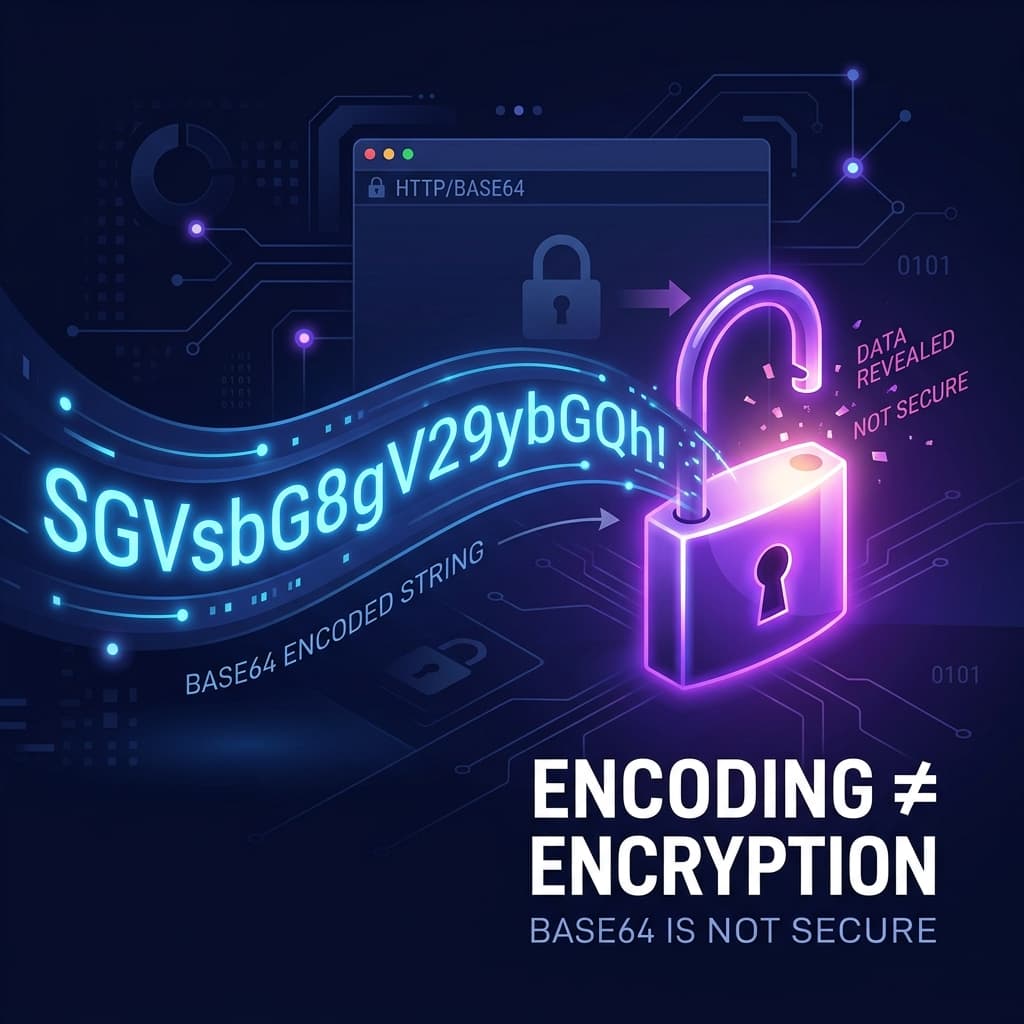
TL;DR: Base64 is an encoding scheme designed to safely transport data across networks that only handle text. It is not encryption, and it provides zero security. Anyone can decode a Base64 string instantly without a key. If you are handling passwords or sensitive data, you need hashing (like bcrypt/SHA-256) or encryption (like AES), not Base64.
The Most Common Security Mistake Junior Developers Make
Look at the following string. Does it look secure to you?
TXlTdXBlclNlY3JldFBhc3N3b3JkMTIzIQ==
To the untrained eye, it looks like a complex cryptographic hash or an encrypted token. But if you paste it into our Base64 Converter, you'll instantly see what it really is: MySuperSecretPassword123!.
Every year, thousands of applications deploy to production storing API keys, API tokens, or even user passwords in Base64 format, thinking they are protecting the data from prying eyes. In 2026, automated scanning bots actively scrape public repositories for Base64 strings specifically because developers make this mistake so frequently.
Here is the fundamental rule of web security: If you can reverse a string without a secret key, so can an attacker.
Encoding vs. Hashing vs. Encryption: What's the Difference?
To stop making this mistake, we need to understand exactly what these three terms mean. They solve completely different problems.
1. Encoding (The Translator)
Goal: Data transport, NOT security. How it works: Translates data from one format into another so it can be parsed by a specific system. Can it be reversed?: Yes, easily. No key required. Example use case: Sending an image over an HTTP JSON payload (JSON technically only supports text, so we convert the binary image to Base64 text). Example tool: Base64, URL Encoding.
2. Encryption (The Safe)
Goal: Two-way security and confidentiality. How it works: Scrambles data using a complex algorithm. It can only be unscrambled with a specific, secret "key". Can it be reversed?: Yes, but only if you possess the secret key. Example use case: Storing a user's credit card or sending private messages over WhatsApp (End-to-End Encryption). Example tool: AES-256, RSA.
3. Hashing (The Shredder)
Goal: Data integrity and verification (One-way). How it works: Takes an input of any size and produces a fixed-width string. Even a tiny change in the input completely changes the hash. Can it be reversed?: No. It is mathematically impossible (or practically infeasible) to reverse a strong hash. Example use case: Storing user passwords in a database or verifying file downloads. Example tool: SHA-256, bcrypt. Generate one right now using our Hash Generator.
Why was Base64 Invented?
If Base64 is useless for security, why does it exist?
In the early days of the internet, email systems (SMTP) were designed to only handle 7-bit ASCII text. If you tried to send a binary file (like a PDF or a JPEG attachment) through these older systems, the raw binary bytes would be misinterpreted as control characters, corrupting the file during transport.
Base64 solves this by taking raw binary bytes and mathematically translating them into 64 safe, printable characters (A-Z, a-z, 0-9, +, and /). It guarantees that your data will survive transport without corruption.
It is a data formatter. It is functionally identical to translating English into Spanish. Yes, someone who only speaks English won't understand it briefly, but anyone with a Spanish dictionary can translate it back instantly.
The "Security by Obscurity" Trap
Developers often use Base64 as "security by obscurity." They think, "Well, it stops casual users from reading the value."
Modern development leaves no room for obscurity. When bad actors find a data breach:
- They load the database dump into automated cracking tools.
- The tools look for strings ending in
=or==(classic Base64 padding). - The tool decodes everything in milliseconds.
If you are generating authentication tokens (like JWTs), note that the payload of a JWT is simply Base64 encoded. Anyone who intercepts a JWT can read the user data inside it. You should never put sensitive data (like SSNs or internal DB IDs) in a JWT payload!
Best Practices for 2026
If you are building authentication or data pipelines this year, stick to these rules:
- For Passwords: Use a strong hashing algorithm like
bcryptorArgon2idwith a salt. - For API Keys: Generate cryptographically secure random strings (see our guide on Why Math.random() is dangerous). Hash them before putting them in the database, just like passwords.
- For Data Transport: Keep using Base64! It is the perfect tool for embedding small images in CSS or sending PDFs via JSON APIs. Just remember it isn't hiding anything.
If you need to quickly encode or decode data for your API testing without sending your data to a third-party server, you can use our 100% client-side Base64 Converter tool to ensure your data never leaves your browser.