Debug Malformed JSON Your Parser Won't Explain
Trailing commas, invisible Unicode, unquoted keys — JSON.parse() just says 'unexpected token.' Here's how to actually find and fix every error.
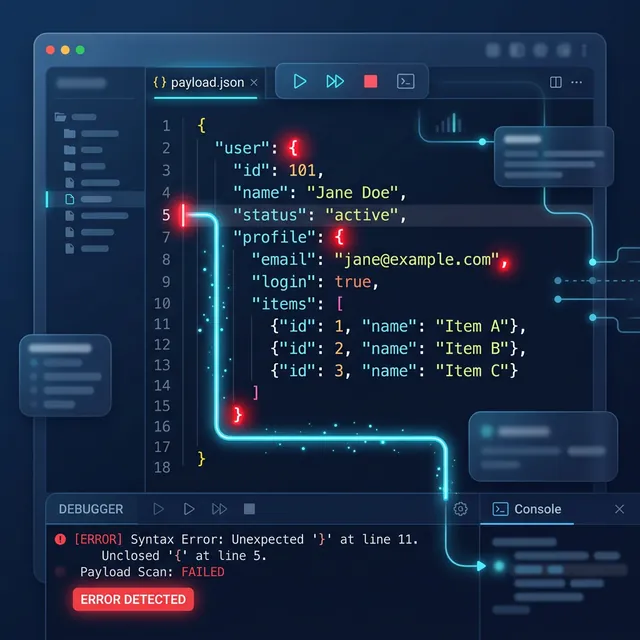
"Unexpected Token at Position 4,821" Tells You Nothing
You're integrating a third-party API. The response looks like JSON. It smells like JSON. You pass it to JSON.parse() and get:
SyntaxError: Unexpected token in JSON at position 4821
Position 4,821 in a minified response blob. No line number. No column. No indication of what the "unexpected token" actually is or why it's unexpected. You open the response in a text editor, count characters like a medieval scribe, and stare at what looks like perfectly valid JSON — only to discover 45 minutes later that position 4,821 contains a zero-width non-breaking space (U+FEFF) that's literally invisible in your editor.
This scenario — broken JSON, opaque error messages, and invisible characters — is the most common debugging time sink in API integration work. The JSON specification (RFC 8259) is strict by design: no trailing commas, no single quotes, no comments, no unescaped control characters. But the data producers sending you JSON rarely share that respect for the spec. APIs return JSON-like payloads with JavaScript object notation quirks that parse fine in Chrome DevTools but blow up in JSON.parse().
Key Takeaways
JSON.parse()error messages are intentionally minimal — they report the byte position of failure but nothing about the structural cause.- The 5 most common JSON syntax errors are: trailing commas, single-quoted strings, unquoted keys, comments (// or /*), and invisible Unicode characters (BOM, zero-width spaces).
- JavaScript objects are not JSON — they accept trailing commas, unquoted keys, single quotes, and computed properties that are all illegal in JSON.
- Schema validation with TypeScript interfaces catches structural errors (missing fields, wrong types) that syntax validation alone misses.
- Always
JSON.stringify()objects before storage or transmission — manual string concatenation produces malformed JSON in edge cases involving special characters.
The 5 Most Common JSON Errors (And What Actually Causes Them)
Error 1: Trailing Commas
The single most frequent JSON syntax error in the wild. JavaScript allows trailing commas in objects and arrays. JSON does not.
// ❌ INVALID JSON — trailing comma after last property
{
  "name": "Zamad",
  "role": "engineer",
  "active": true,   // ← this comma kills JSON.parse()
}

// ✅ VALID JSON — no trailing comma
{
  "name": "Zamad",
  "role": "engineer",
  "active": true
}
Common source: developers copy JavaScript objects directly into JSON configuration files (.json, API request bodies) without realizing the syntax rules differ.
Automated fix — strip trailing commas before parsing:
function sanitizeJSON(rawString) {
  // Remove trailing commas before closing brackets/braces
  // Handles nested structures and multi-line formatting
  return rawString.replace(/,\s*([\]}])/g, '$1');
}

const dirty = '{"items": [1, 2, 3,], "meta": {"page": 1,}}';
const clean = sanitizeJSON(dirty);
console.log(JSON.parse(clean)); // { items: [1, 2, 3], meta: { page: 1 } }
Error 2: Single-Quoted Strings
JSON requires double quotes for all strings. Single quotes, backticks, and unquoted strings are all invalid.
// ❌ INVALID — single quotes are JavaScript, not JSON
{'name': 'Zamad', 'role': 'engineer'}

// ❌ INVALID — unquoted keys
{name: "Zamad", role: "engineer"}

// ✅ VALID — double quotes only, for both keys and values
{"name": "Zamad", "role": "engineer"}
Error 3: Comments
JSON has no comment syntax. No //, no /* */, no #. JSONC (JSON with Comments) exists as a non-standard extension used by VS Code configuration files, TypeScript tsconfig.json, and some other tools — but JSON.parse() rejects comments outright.
// ❌ INVALID — standard JSON has no comment syntax
{
  // Database configuration
  "host": "localhost",
  "port": 5432, /* default PostgreSQL port */
  "database": "myapp"
}

// To strip comments before parsing:
function stripJSONComments(str) {
  return str
    .replace(/\/\/.*$/gm, '')           // Remove single-line comments
    .replace(/\/\*[\s\S]*?\*\//g, '')   // Remove multi-line comments
    .replace(/,\s*([\]}])/g, '$1');     // Clean up resulting trailing commas
}
Error 4: Invisible Unicode Characters
The most infuriating class of JSON errors — characters that are literally invisible in every text editor but cause JSON.parse() to fail:
// These invisible characters break JSON parsing:
//   U+FEFF  — Byte Order Mark (BOM), commonly at file start
//   U+200B  — Zero-Width Space
//   U+00A0  — Non-Breaking Space (looks like a regular space)
//   U+2028  — Line Separator (valid Unicode, invalid in JSON strings)
//   U+2029  — Paragraph Separator (valid Unicode, invalid in JSON strings)

function cleanInvisibleChars(str) {
  return str
    .replace(/^\uFEFF/, '')              // Strip BOM from start
    .replace(/[\u200B-\u200D\uFEFF]/g, '') // Remove zero-width chars
    .replace(/\u00A0/g, ' ')             // Replace NBSP with regular space
    .replace(/[\u2028\u2029]/g, '');     // Remove line/paragraph separators
}

// Real-world scenario: API response starts with BOM
const apiResponse = '\uFEFF{"status": "ok"}';
// JSON.parse(apiResponse) → SyntaxError
// JSON.parse(cleanInvisibleChars(apiResponse)) → { status: "ok" }
Where these come from: Windows Notepad adds BOM to UTF-8 files. Copy-paste from Word/Google Docs introduces non-breaking spaces. Some Java HTTP libraries include BOM in response bodies. CSV exports from Excel inject zero-width characters into cell values.
Error 5: Unescaped Control Characters
JSON strings must escape control characters (U+0000 through U+001F). Tabs, newlines, and carriage returns must use escape sequences:
// ❌ INVALID — literal newline inside a JSON string value
{"bio": "Line one
Line two"}

// ✅ VALID — escaped newline
{"bio": "Line one\nLine two"}

// ✅ VALID — escaped tab
{"code": "function() {\n\treturn true;\n}"}
Building a Bulletproof JSON Parser Wrapper
Instead of catching SyntaxError and guessing what went wrong, build a parser that diagnoses the error:
function parseJSON(input) {
  // Step 1: Type check
  if (typeof input !== 'string') {
    throw new TypeError(`Expected string, got ${typeof input}`);
  }

  // Step 2: Clean known contaminants
  let cleaned = input
    .replace(/^\uFEFF/, '')               // BOM
    .replace(/[\u200B-\u200D]/g, '')      // Zero-width chars
    .trim();

  // Step 3: Attempt parse
  try {
    return JSON.parse(cleaned);
  } catch (firstError) {
    // Step 4: Attempt recovery — strip comments and trailing commas
    try {
      cleaned = cleaned
        .replace(/\/\/.*$/gm, '')          // Single-line comments
        .replace(/\/\*[\s\S]*?\*\//g, '')  // Multi-line comments
        .replace(/,\s*([\]}])/g, '$1');    // Trailing commas

      return JSON.parse(cleaned);
    } catch (secondError) {
      // Step 5: Diagnose the error with context
      const position = parseInt(secondError.message.match(/position (\d+)/)?.[1]) || 0;
      const context = cleaned.substring(
        Math.max(0, position - 40),
        Math.min(cleaned.length, position + 40)
      );
      const charCode = cleaned.charCodeAt(position);

      throw new Error(
        `JSON parse failed at position ${position}.\n` +
        `Character: "${cleaned[position]}" (U+${charCode.toString(16).padStart(4, '0')})\n` +
        `Context: ...${context}...\n` +
        `         ${' '.repeat(Math.min(40, position))}^\n` +
        `Original error: ${secondError.message}`
      );
    }
  }
}
For quick debugging without writing throwaway parse scripts, paste the suspicious JSON directly into the ZamDev AI JSON Formatter. It runs JSON.parse() in-browser and highlights the exact error location with a descriptive message — catching bracket mismatches, trailing commas, and encoding errors instantly.
Beyond Syntax: Schema Validation With TypeScript
A syntactically valid JSON response can still break your application if the structure doesn't match expectations. A field you expect to be a string arrives as null. An array comes back empty when you assumed it always has at least one element. A nested object is missing entirely.
TypeScript interfaces catch these at compile time — but only if your types accurately describe the API response. Manually typing interfaces from API documentation is error-prone and drifts as APIs evolve.
// ❌ MANUALLY TYPED — drifts from actual API response, misses nullable fields
interface UserResponse {
  id: number;
  name: string;
  email: string;
  company: {
    name: string;
    role: string;
  };
}

// ✅ GENERATED FROM REAL API RESPONSE — accurate, includes optional fields
// Paste the actual JSON response into ZamDev AI JSON → TypeScript tool
// and get interfaces that match reality, not documentation
interface UserResponse {
  id: number;
  name: string;
  email: string;
  company: {
    name: string;
    role: string;
    department: string | null;  // ← this was nullable, docs didn't say so
  };
  lastLogin: string;  // ← this field exists but wasn't in the docs
}
Paste a real API response into the ZamDev AI JSON → TypeScript converter to generate interfaces from actual data. This catches fields the documentation forgot to mention, nullable values the docs claim are required, and nested object shapes that differ from the spec.
Runtime Validation with Zod
TypeScript types disappear at runtime. For API responses from external sources, validate the structure at runtime with a schema library:
import { z } from 'zod';

const UserSchema = z.object({
  id: z.number(),
  name: z.string().min(1),
  email: z.string().email(),
  company: z.object({
    name: z.string(),
    role: z.string(),
    department: z.string().nullable(),
  }),
  lastLogin: z.string().datetime(),
});

type User = z.infer<typeof UserSchema>; // TypeScript type derived from schema

// Validate at API boundary — throws descriptive error if shape doesn't match
function fetchUser(data: unknown): User {
  return UserSchema.parse(data); // throws ZodError with field-level details
}
Zod's error messages tell you exactly which field failed validation and why — "Expected string, received undefined at path company.department" — replacing the silent data corruption that happens when you cast any to a typed interface.
Common Pitfalls and Troubleshooting
"JSON.stringify() produces valid JSON but my API rejects it"
Check your Content-Type header. If you're sending a stringified JSON body but the header says application/x-www-form-urlencoded, the server may parse it as a URL-encoded string instead of JSON. Set Content-Type: application/json explicitly.
"My JSON has BigInt values and JSON.stringify() throws"
JSON.stringify() doesn't support BigInt. You need a custom replacer:
const data = { userId: 9007199254740993n }; // BigInt
const json = JSON.stringify(data, (key, value) =>
  typeof value === 'bigint' ? value.toString() : value
);
// '{"userId":"9007199254740993"}' — note: becomes a string
"Numbers lose precision in JSON for IDs above 2^53"
JavaScript Number type uses IEEE 754 double-precision, which safely represents integers up to 2^53 - 1 (9,007,199,254,740,991). Twitter's snowflake IDs and Discord's IDs exceed this. Parse them as strings, not numbers:
// ❌ PRECISION LOSS
JSON.parse('{"id": 9007199254740993}'); // → { id: 9007199254740992 } — WRONG

// ✅ API should send as string
JSON.parse('{"id": "9007199254740993"}'); // → { id: "9007199254740993" } — correct
"JSON.parse() succeeds but returns unexpected data types"
JSON has no Date, undefined, Map, Set, or RegExp types. Dates become strings. undefined values are stripped by JSON.stringify(). If your application logic depends on these types, add a reviver function to reconstruct them:
const parsed = JSON.parse(jsonString, (key, value) => {
  // Reconstruct ISO date strings as Date objects
  if (typeof value === 'string' && /^\d{4}-\d{2}-\d{2}T/.test(value)) {
    const date = new Date(value);
    if (!isNaN(date.getTime())) return date;
  }
  return value;
});
JSON is deceptively simple — until it isn't. The format's strict syntax rules exist to prevent ambiguity, but they also mean that a single misplaced comma, an invisible character, or a naive assumption about number precision can block you for hours. Debug systematically, validate structurally, and treat every external JSON payload as untrusted input that needs both syntax and schema verification.